


Gemini Apps Help Center
The primary public resource for everyday web and mobile app users

Gemini and Gemini Notebook are generative AI tools from Google that can be your AI assistants for education. Educators and staff can use Gemini and Gemini Notebook to save time, create captivating learning experiences, and inspire fresh ideas. And students can use them to learn confidently and prepare for an AI-driven future.
Gemini is Google's AI-powered chatting assistant that can support a variety of academic and professional tasks. Gemini operates through a conversational interface. You can start with a question or instruction, known as a prompt, and continue the conversation with follow-up questions or additional instructions.
Gemini Notebook, formerly known as NotebookLM, is Google's AI-powered research and learning tool. Unlike a general Gemini conversation, Gemini Notebook is designed to help you work with a collection of sources that you provide.
For example, you can add materials such as course readings, lecture notes, lesson plans, or educational standards and use Gemini Notebook to explore and understand those materials. It can generate summaries, discussion questions, quizzes, guided learning materials, and Audio Overviews based on the sources in the notebook.
This makes Gemini Notebook particularly useful for working through a collection of course, teaching, or research materials.
AI Guidelines
AI Tools supported by DE
Always sign in with your Marist account to use Gemini and Gemini Notebook with Google Workspace for Education’s enterprise-grade data protections.
Frequently Asked Questions:
Yes. One of the primary advantages of using Gemini through Marist is that your data is protected under Marist's enterprise agreement with Google. Information entered into Gemini through your Marist account is not used to train public AI models and is governed by enterprise privacy and security controls.
While consumer AI tools can be useful, they may not provide the same level of privacy and data protection as enterprise services. When using Gemini through Marist, your conversations and data are protected under Marist's enterprise environment and are not used to train public AI models. As a best practice, all Marist business, academic, administrative, and institutional work involving AI should be conducted using enterprise-protected tools.
No. Both tools are available through your Marist Google Workspace account. Simply sign in with your Marist credentials to access the services available to you through Marist's Google environment.
No. Marist cannot view the chat history of individual Gemini users. Your conversations remain private and are not accessible to Marist administrators.
NotebookLM is Google's AI-powered research and study assistant. It allows you to upload and organize your own sources, such as documents, PDFs, and notes, and then ask questions, generate summaries, identify key themes, create study guides, and explore connections across your materials. Because NotebookLM works from the sources you provide, it can help you engage more deeply with your own content while benefiting from the same enterprise protections available through Marist's Google Workspace environment.
Yes. Your personal Gmail account and your Marist Google Workspace account are completely separate. You can continue using your personal Google account as you always have. To access Gemini through Marist, simply sign in using your Marist credentials when prompted.
When using Gemini logged into your Marist account, the enterprise data protection visual identifier appears in two key locations on the web interface:
If you see the error message below, it indicates that you have signed up for a free Google account with your Marist email address and may have saved payment information in the Google Wallet through your Chrome profile.
If this happens, go to accounts.google.com and enter your Marist email address. You'll see this screen. Choose "Google Workspace Account" and you'll be in our Marist Enterprise account.
We value your opinion! If you’re not looking to integrate generative AI with Gemini into your workflow, you’re under no obligation to use it.
Please follow the below steps:
Click the 9-dot grid icon in thupper-left corner of your screen, when logged into Outlook. This opens the list of available apps.
Click on "More apps" to expand the full list if Copilot isn’t immediately visible.
Scroll down to find "Use across apps" or the section where Copilot is listed.
Click the three-dot menu (⋮) next to Copilot.
Select "Uninstall" from the menu options.

Marist's Gemini license provides faculty, staff, and students with Enterprise Data Protection when you access Gemini and sign in with your Marist account credentials. There are four primary benefits of that protection:
Your prompts and responses are securely saved to your account so you can easily return to past chats, governed by Marist’s enterprise security policies.
Gemini accesses only what you share: files attached via the + menu, files you directly upload.
Google cannot access your data. Your interactions remain securely within Marist’s enterprise protection.
Your chat data, prompts, and responses are never used to train Google's foundational large language models (LLMs) used by AI.
In many ways, the basic version of Copilot is similar to other AI tools like Gemini and ChatGPT. However, there are a number of key differences.
Within reason, Copilot is able to be used extensively, with no limit or credit system to the number of images you can generate, files you can download, or prompts you can run and rerun.
Using the bookmark button underneath a prompt you’ve used, you can save it to your Prompt Library (appears under the input window on a new chat) to use again. You can also generate a link to a prompt to share it with others.
Under the license that Marist has, Copilot chat cannot train off your information, unlike many free tools which may do so. This keeps your information secure.
Copilot can search the web to find information relevant to today. Copilot chat is also updated with new models regularly, powered by OpenAI Azure.
Gemini Help
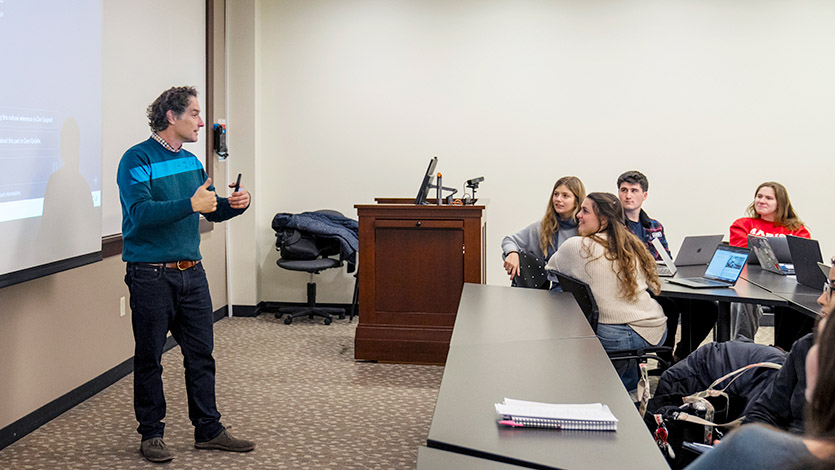
These are Marist's efforts to integrate artificial intelligence into their educational systems. Both institutions are focused on using AI as a tool to enhance teaching and learning, with a strong emphasis on ethical considerations and responsible implementation.
If you have any questions or need further assistance with the tool, please don’t hesitate to contact us at 845-575-3572.